



Charter Flights

Empty Leg Flights
Available Fleet
Blog
Contacts


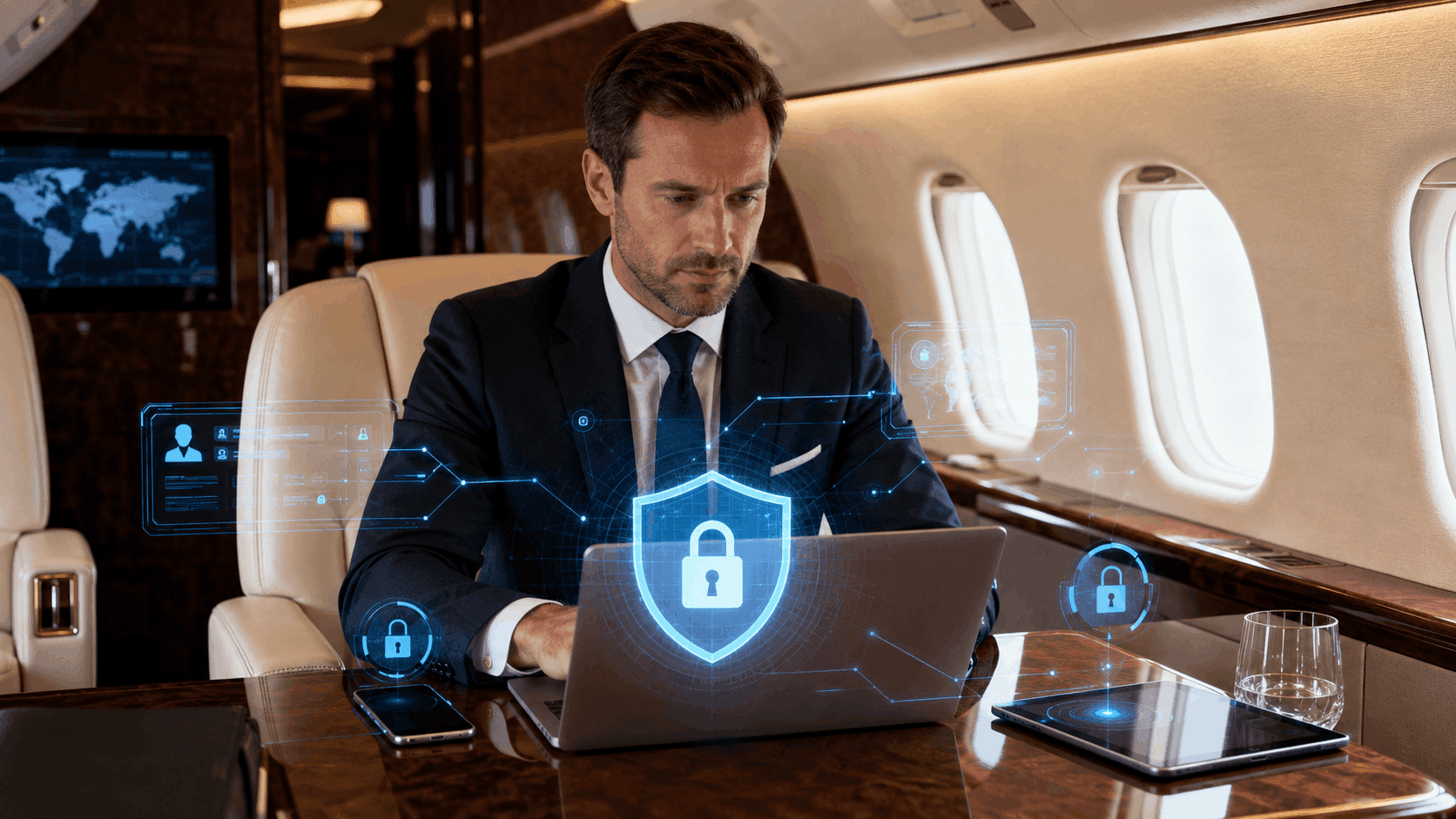
Private aviation provides executives with privacy, scheduling flexibility, and the ability to work while traveling. A private cabin can support meetings, document review, video calls, and strategic discussions that would be difficult to conduct in a crowded commercial environment.
That privacy, however, should not be confused with cybersecurity.
Laptops, tablets, mobile phones, cloud services, messaging platforms, and aircraft connectivity systems still create digital exposure. A traveler may be physically separated from the public while remaining connected to corporate networks, remote servers, messaging platforms, and internet services.
For senior executives, legal teams, investors, and other travelers handling confidential information, cybersecurity should therefore be treated as part of trip preparation.
The strongest approach combines secure devices, disciplined access controls, careful use of in-flight connectivity, secure communications, and coordination with corporate IT or security teams.
Business travel changes the normal working environment.
Executives may connect from:
Devices may also move between jurisdictions and physical environments where security practices differ.
The traveler is therefore exposed to more networks, more physical locations, and more opportunities for mistakes than when working from a controlled office.
Common risks include:
Private aviation reduces some physical exposure, but it does not remove these digital risks.
A private aircraft cabin can provide a more controlled environment for conversation.
That is valuable for discussions involving:
However, a private cabin does not automatically encrypt a laptop, secure a cloud account, or prevent malware.
Cybersecurity depends on the systems and practices being used.
An executive working on an unsecured device can expose sensitive information regardless of how private the physical cabin appears.
The correct mindset is therefore to treat physical privacy and digital security as complementary protections.
Cybersecurity preparation should begin before the traveler reaches the airport.
Devices should ideally be:
Software updates matter because security patches often address known vulnerabilities.
Travel is not the ideal time to discover that an operating system or VPN client is several versions behind.
Corporate IT teams can help verify device readiness before sensitive trips.
Passwords alone provide limited protection.
Executives handling sensitive information should use multi-factor authentication wherever possible.
This can combine:
Hardware security keys can provide particularly strong protection against many phishing attacks because authentication is tied to a physical device.
Recovery methods should also be reviewed before travel.
A traveler who loses a phone should still have a secure way to regain access without relying on weak backup procedures.
Credential reuse remains a significant security weakness.
If the same password is used across several services, compromise of one account can create access opportunities elsewhere.
Executives should use unique credentials for:
A reputable password manager can simplify this process.
The master account itself should use strong authentication.
Full-device encryption protects stored data if a laptop, phone, or tablet is lost or stolen.
Modern operating systems often include encryption capabilities, but organizations should verify that they are enabled and properly configured.
This is especially important for devices containing:
Encryption does not replace other security controls.
It provides an additional layer of protection when physical possession of the device is lost.
One of the most effective ways to reduce travel risk is to carry less sensitive data.
Executives should avoid loading entire corporate archives onto travel devices when only a few documents are needed.
Possible approaches include:
The objective is to reduce what an attacker could obtain if the device were compromised.
Data minimization is often easier than trying to protect unnecessary information indefinitely.
Organizations facing elevated security risk may issue dedicated travel laptops or phones.
These devices can contain only the applications and data required for the trip.
This approach can be particularly useful for:
A clean travel device limits the amount of corporate information exposed if compromise occurs.
After the trip, the device can be inspected, reset, or retired according to corporate policy.
Private aircraft may provide onboard internet connectivity.
This can allow passengers to:
The FAA notes that passengers may use Wi-Fi when the aircraft has an installed Wi-Fi system and its use is permitted, while cellular connections should follow applicable onboard procedures.
From a cybersecurity perspective, passengers should still treat any travel network as potentially less trusted than a secured corporate environment.
The fact that a network is onboard a private aircraft does not automatically make every application or connection secure.
A virtual private network can encrypt network traffic between a device and an approved corporate or VPN endpoint.
Organizations often use VPNs for remote access to internal resources.
Executives should follow their company’s approved configuration rather than installing random consumer VPN applications before travel.
A VPN can help protect data in transit, but it does not prevent:
It should therefore be considered one part of a broader security strategy.
Sensitive conversations should use approved encrypted communication tools.
This may include corporate messaging, calling, or collaboration platforms with appropriate encryption and access controls.
Executives should avoid moving confidential conversations to consumer messaging platforms merely because they are convenient during travel.
Corporate security teams should establish which platforms are approved for:
Consistency reduces the risk of important information being scattered across unmanaged applications.
Private jet passengers may spend little time in large terminals, but they can still encounter public or semi-public networks at:
Travelers should avoid automatically connecting to remembered networks.
Attackers can create access points with familiar names to encourage devices to connect.
When possible, verify the correct network with staff before joining.
For sensitive work, a trusted mobile hotspot or approved corporate connectivity solution may be preferable.
Phones and laptops often remember previous networks.
Automatic connection can create risk because the device may join a similarly named network without the traveler noticing.
Before a sensitive trip, consider:
This small configuration change reduces accidental exposure.
Bluetooth is useful for headsets, keyboards, and other accessories.
When not required, unnecessary wireless discovery can be disabled.
Travelers should avoid accepting unexpected Bluetooth pairing requests.
Devices should also be configured so that file-sharing or discovery services are not publicly accessible.
Reducing unnecessary wireless exposure is a simple security practice.
Physical privacy is generally stronger aboard a private aircraft than in a commercial cabin, but it still deserves attention.
Other passengers, service personnel, or visitors may be present.
Sensitive screens should not be left visible unnecessarily.
Privacy filters can help when working in more public locations such as FBO lounges or conference venues.
Screens should lock automatically when the user steps away.
Private terminals and aircraft cabins can feel secure, which may encourage travelers to become less cautious.
Laptops and phones should still remain under the traveler’s control.
Leaving an unlocked laptop aboard an aircraft during cleaning, catering, or ground servicing creates unnecessary exposure.
Devices should be locked or securely stored whenever the owner is not actively using them.
Public charging stations can create security concerns if data-capable USB connections are used.
Travelers can reduce exposure by using:
The principle is simple: use charging methods that provide power without creating an unnecessary data connection to unfamiliar equipment.
Executive cybersecurity is not only about electronics.
Printed materials can be equally sensitive.
Examples include:
Travelers should avoid leaving these materials in seat pockets, conference areas, or FBO lounges.
Sensitive paper documents should be stored securely or destroyed appropriately when no longer needed.
Executives sometimes take photographs of documents, whiteboards, passports, or presentation slides for convenience.
These images may automatically upload to personal cloud accounts.
That can create an unintended copy of sensitive information outside corporate systems.
Before photographing confidential material, travelers should understand:
A casual photo can create a long-lived data exposure.
Attackers often exploit travel context.
A phishing message may claim to come from:
Travelers expecting schedule changes may be more likely to open urgent-looking messages.
Executives should verify unexpected links, payment requests, password resets, and itinerary changes through known channels.
Urgency is one of the most common tools used in social engineering.
Executives are frequent targets for business email compromise.
An attacker may impersonate:
Travel periods can create opportunities because colleagues know the executive is moving between locations and may expect unusual requests.
Organizations should maintain clear approval procedures for:
Travel should never be used as a reason to bypass normal financial controls.
Private aircraft connectivity can make video meetings possible in flight.
Before joining a confidential call, consider:
Meeting invitations should also be protected.
Publicly forwarded links or weak meeting controls can create unauthorized access.
Cloud synchronization is convenient but can cause sensitive files to spread across multiple devices and services.
Before high-risk travel, organizations may restrict automatic syncing.
For example, confidential transaction documents may be available only through a controlled virtual data room rather than downloaded permanently.
The objective is to reduce uncontrolled duplication.
Email attachments can create version-control and security problems.
Sensitive documents are often better shared through approved platforms that support:
Executives should follow organizational policy rather than selecting whichever file-sharing service is easiest at the moment.
Virtual data rooms are commonly used for sensitive transactions such as:
They can provide controlled document access and detailed activity logging.
When executives review transaction materials during private travel, a VDR can reduce the need to store large document sets locally.
Some organizations provide virtual desktop infrastructure.
The executive’s device acts mainly as an access terminal while sensitive data remains within the corporate environment.
This can be useful during travel because fewer files need to reside on the local device.
However, authentication and endpoint security remain important because an attacker controlling the device may still access the remote session.
Corporate email frequently contains some of the organization’s most valuable information.
Security measures can include:
Executives should avoid forwarding corporate email to personal accounts.
Doing so can bypass company controls and create additional copies of sensitive information.
Using the same device for personal and corporate activity increases the opportunity for data to cross boundaries.
Organizations may use:
Executives should avoid saving corporate passwords in unmanaged personal browsers or transferring files through personal email accounts.
Mobile device management, or MDM, gives organizations greater control over business devices.
Depending on configuration, it can help:
This becomes particularly valuable when devices travel frequently.
If a phone is lost during a trip, corporate IT may be able to remove business information remotely.
Lost devices should be reported immediately.
Organizations may have tools capable of:
The sooner the security team knows about the loss, the faster these actions can occur.
Executives should know the correct incident-reporting contact before traveling.
If a device disappears, the traveler should not simply wait to see whether it turns up.
The incident can expose:
Immediate actions may include:
The exact procedure should follow company policy.
International trips can introduce additional cybersecurity considerations.
Executives may encounter:
Organizations should conduct country-specific risk reviews where appropriate.
For particularly sensitive destinations, dedicated travel devices may be preferable.
The cyber plan should match the actual risk environment rather than treat every country identically.
Laws governing device inspection at borders vary by jurisdiction.
Executives carrying extremely sensitive information should consult corporate legal and security teams before international travel.
Reducing data stored on the device can limit exposure if inspection occurs.
Travelers should not attempt to obstruct lawful procedures.
The correct strategy is preparation before departure.
Travelers should avoid delaying important security updates until they are already abroad.
Before departure:
This reduces exposure to vulnerabilities already addressed by vendors.
Business centers and shared computers should not be used for confidential work.
Such machines may contain:
Even logging into email can expose credentials.
Executives should use managed devices for business activity.
Borrowed USB drives, adapters, keyboards, and other accessories can introduce security risks.
Travelers should use trusted equipment wherever possible.
Unknown storage devices should never be connected to corporate laptops without appropriate security procedures.
Hotel rooms, vehicles, and other travel environments increasingly contain connected devices.
Sensitive conversations should take account of nearby:
Executives discussing highly confidential matters should select controlled environments rather than assuming every private-looking room is technologically private.
Even with strong cybersecurity controls, ordinary conversation can create disclosure.
Passengers should consider who else is aboard.
A private jet may carry:
Not every person needs access to every discussion.
Sensitive meetings can be scheduled according to the passenger group and cabin configuration.
Cybersecurity considerations can be integrated into broader executive travel planning.
When arranging private aviation services, travelers can coordinate flight schedules, aircraft requirements, private-terminal access, and other trip logistics around the needs of business travel. Hera Flight specifically markets its charter offering to busy executives and emphasizes privacy, flexible scheduling, personalized planning, and private-terminal access.
The aviation provider manages the flight operation, but protection of corporate devices and data remains a shared responsibility involving the traveler and the organization’s IT or security team.
Private travel creates a more controlled physical environment; effective cyber practices are what turn that advantage into stronger information protection.
Executives undertaking particularly sensitive travel should notify the appropriate internal team.
IT or security personnel can help:
For major transactions, litigation, or geopolitical risk, the organization may implement stricter controls temporarily.
The plan should reflect the value of the information involved.
Not every trip requires the same security measures.
A domestic sales meeting may present a different risk profile from confidential acquisition negotiations overseas.
Organizations can categorize trips based on:
Higher-risk trips can trigger additional controls.
This makes security proportional rather than burdensome on every journey.
Mobile applications can access significant amounts of device information.
Before travel, executives may review which apps have access to:
Applications that do not require these permissions should not necessarily retain them indefinitely.
Reducing permissions limits the amount of data exposed if an application is compromised.
Executive travel patterns can themselves be confidential.
Location information may reveal:
Applications and photographs can contain location metadata.
Travelers handling sensitive matters may disable unnecessary location sharing and avoid posting travel information publicly.
Real-time social media posts can undermine physical and digital privacy.
Publishing the aircraft, airport, hotel, or destination may reveal travel patterns.
Executives and accompanying staff should understand organizational expectations regarding:
The safest public post is often one made after the sensitive part of the trip has ended.
Aircraft registration information can sometimes be connected with travel activity through public or commercial data sources.
Travelers should avoid unnecessarily linking photographs, business announcements, and aircraft identifiers.
This is partly an operational privacy issue rather than pure cybersecurity, but the two overlap because attackers can use public information for social engineering.
Executive cybersecurity can fail if only the executive is protected.
Assistants, travel coordinators, finance teams, and other personnel may handle:
Attackers may target these employees because they appear easier to impersonate or compromise.
Travel cybersecurity should therefore cover the support team as well.
Detailed travel itineraries contain sensitive information.
They may include:
These documents should be shared only through approved channels.
Public links and uncontrolled forwarding can expose both personal and corporate security information.
Travelers interact with many third parties.
Phishing attempts can imitate:
Payment instructions or account changes should be verified using previously known contact details.
Do not trust a new bank account solely because it appears in a familiar-looking email.
Cybersecurity does not end when the aircraft lands at home.
After higher-risk travel, organizations may:
If a dedicated travel device was used, it may be wiped before its next assignment.
Post-travel review helps detect issues that were not obvious during the trip itself.
Possible warning signs can include:
These symptoms do not always prove compromise.
Executives should still report suspicious activity rather than attempt to investigate technically on their own.
Corporate security teams can determine the appropriate response.
A practical preflight cyber checklist can include:
For high-risk trips, additional controls can be added.
Even sophisticated cybersecurity tools can be undermined by a single mistake.
An executive can have an encrypted laptop, hardware security key, and enterprise VPN but still reveal credentials through a convincing phishing page.
Training and judgment remain essential.
Travelers should be skeptical of unexpected:
When uncertain, verify using a separate trusted communication channel.
No. Private aircraft connectivity can provide a more controlled travel environment, but passengers should still follow their organization’s security policies and treat travel networks carefully.
If the organization requires or recommends an approved corporate VPN for remote access, executives should use it according to company policy. A VPN protects network traffic but does not prevent phishing or malware.
It generally provides greater physical privacy than a public airline cabin, but travelers should still consider who is aboard and how digital communications or documents are being handled.
Only when necessary and consistent with organizational policy. Reducing locally stored confidential data can limit exposure if a device is lost or compromised.
Notify corporate IT or security immediately so access can be revoked and remote locking or wiping procedures can be initiated where available.
Travelers should not automatically assume they are trusted. Verify the correct network and use corporate security controls, or choose another approved connection method for sensitive activity.
For higher-risk trips, dedicated travel devices can reduce exposure by limiting the amount of corporate information carried. Whether this is necessary depends on the organization’s risk assessment.
Potentially, if the aircraft’s connectivity supports the required service and the traveler uses approved secure communication tools. Physical privacy and connection quality should also be considered.
No single measure is sufficient, but strong authentication, updated devices, data minimization, cautious network use, and rapid reporting of suspicious activity create a strong baseline.
Private aviation gives executives greater control over the physical travel environment, but cybersecurity depends on how devices, accounts, networks, and information are managed.
The most important distinction is between privacy and security.
A private cabin can reduce exposure to strangers, crowded terminals, and public conversations. It cannot automatically protect a compromised laptop, weak password, fraudulent login page, or improperly shared document.
Effective executive travel security begins before departure.
Devices should be updated and encrypted. Strong authentication should be enabled. Sensitive data should be minimized. Approved VPN, messaging, and file-sharing tools should be used according to corporate policy.
During the journey, travelers should remain cautious about networks, charging equipment, phishing messages, device custody, and confidential conversations.
After higher-risk trips, security teams can review devices and account activity for signs of compromise.
Private aviation is most effective for sensitive business travel when its physical privacy advantages are combined with disciplined cybersecurity practices. Together, these measures allow executives to remain productive in the air without treating convenience as a substitute for information protection.